
Ordering & Customizing
How do I see what’s coming in my next delivery?
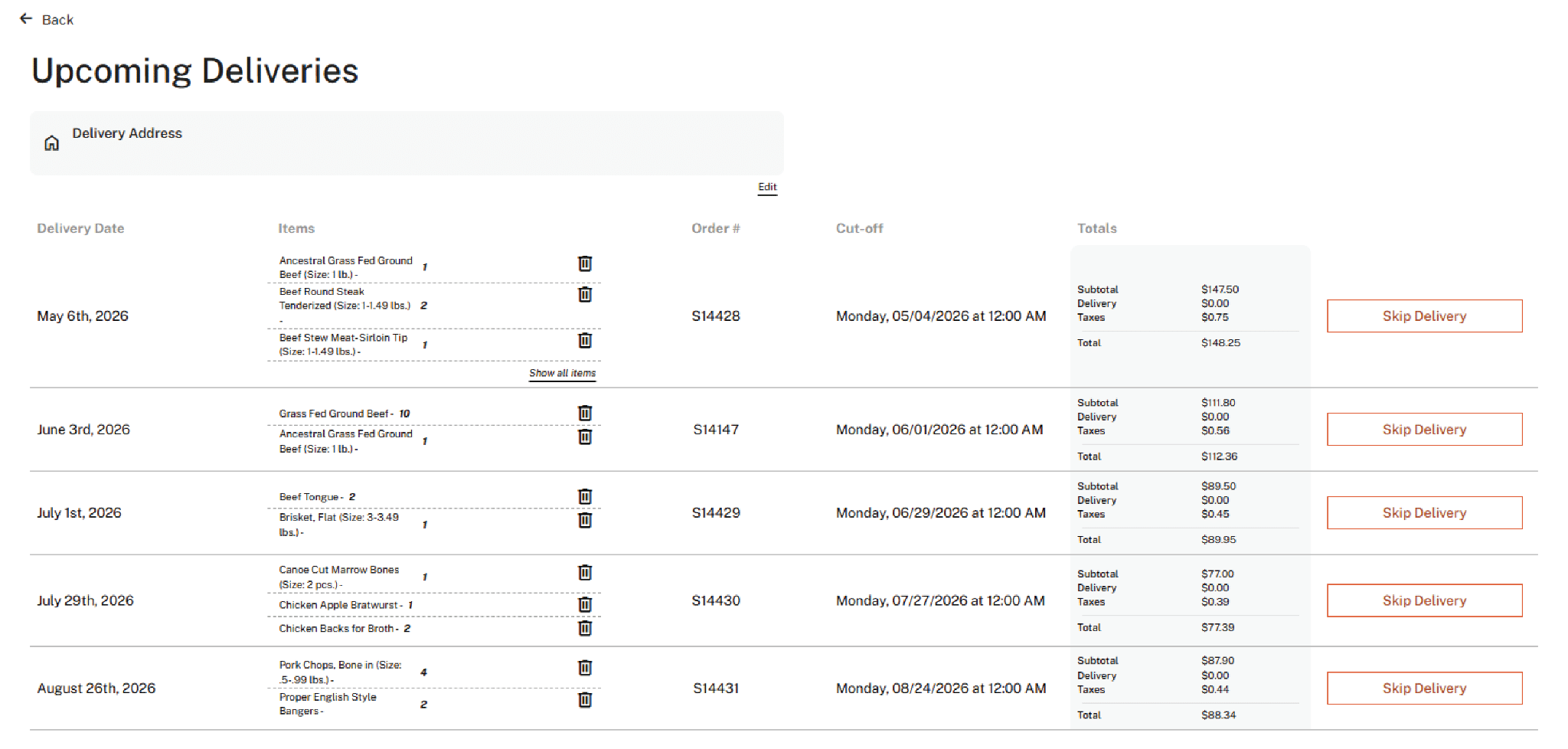
Yes. Log in and open the Upcoming Deliveries tab. You can see every upcoming order, what is in your next one, and make adjustments right there.
How late can I change, skip, or cancel an order?
Sunday at midnight before your delivery week. That covers everything: customizing your box, adding or removing items, skipping a delivery, or canceling. Miss the deadline? Email service@locavoredelivery.com right away and we will do everything we can to help.
Can I customize a Chef Curated Box?
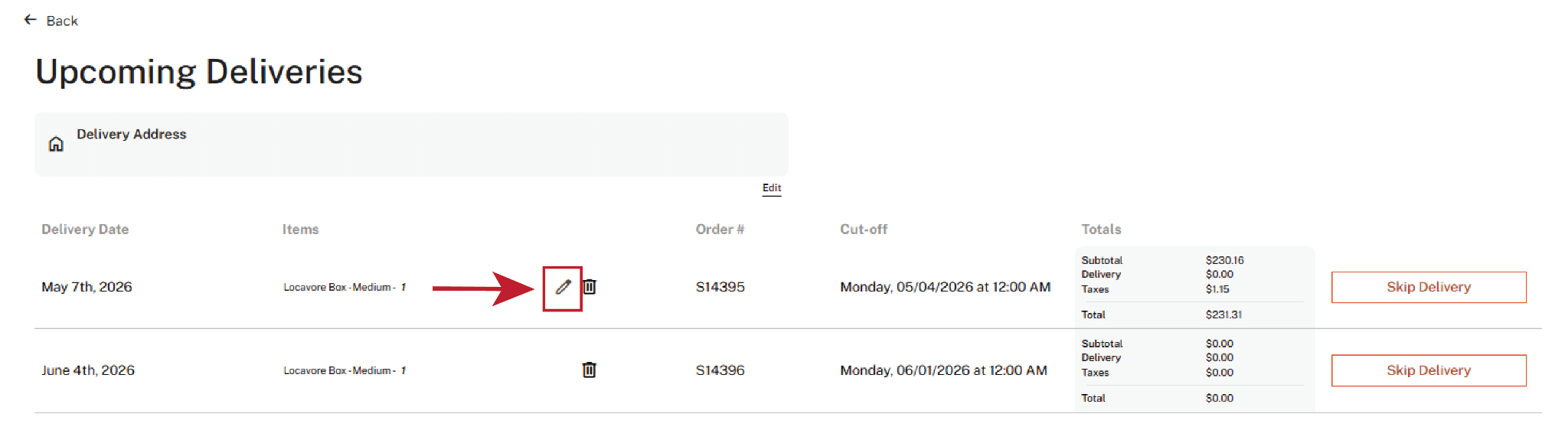
Yes. Chef Curated Boxes are fully customizable, starting about a week before your delivery date. Once your box has been curated, click the small pencil icon next to it in the Upcoming Deliveries tab to open the customization screen.
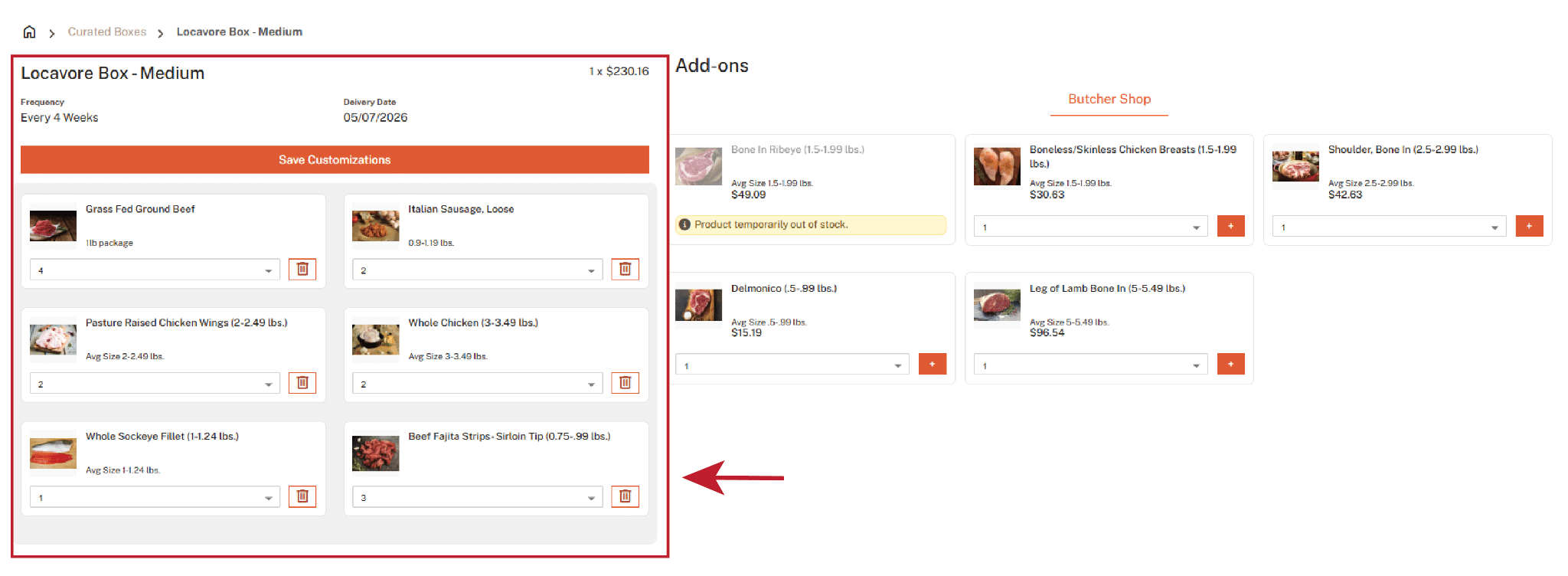
Your box contents are on the right, a la carte add-ons on the left. Delete items or change how many you get. Need a hand? Email service@locavoredelivery.com or call/text 720-593-0836.
What if nothing in my Curated Box appeals to me this month?
Take the whole box out and shop a la carte instead, or skip that delivery. Just do it before Sunday at midnight.
Delivery Day
What should I do on delivery day?
Set out a cooler big enough to fit your order. No ice needed. Your items arrive frozen and will stay cold until evening as long as they stay in the cooler and out of direct sunlight. We will put your order in the cooler or hand it straight to you.
What if I won’t be home, need a different delivery day, or my delivery fails?
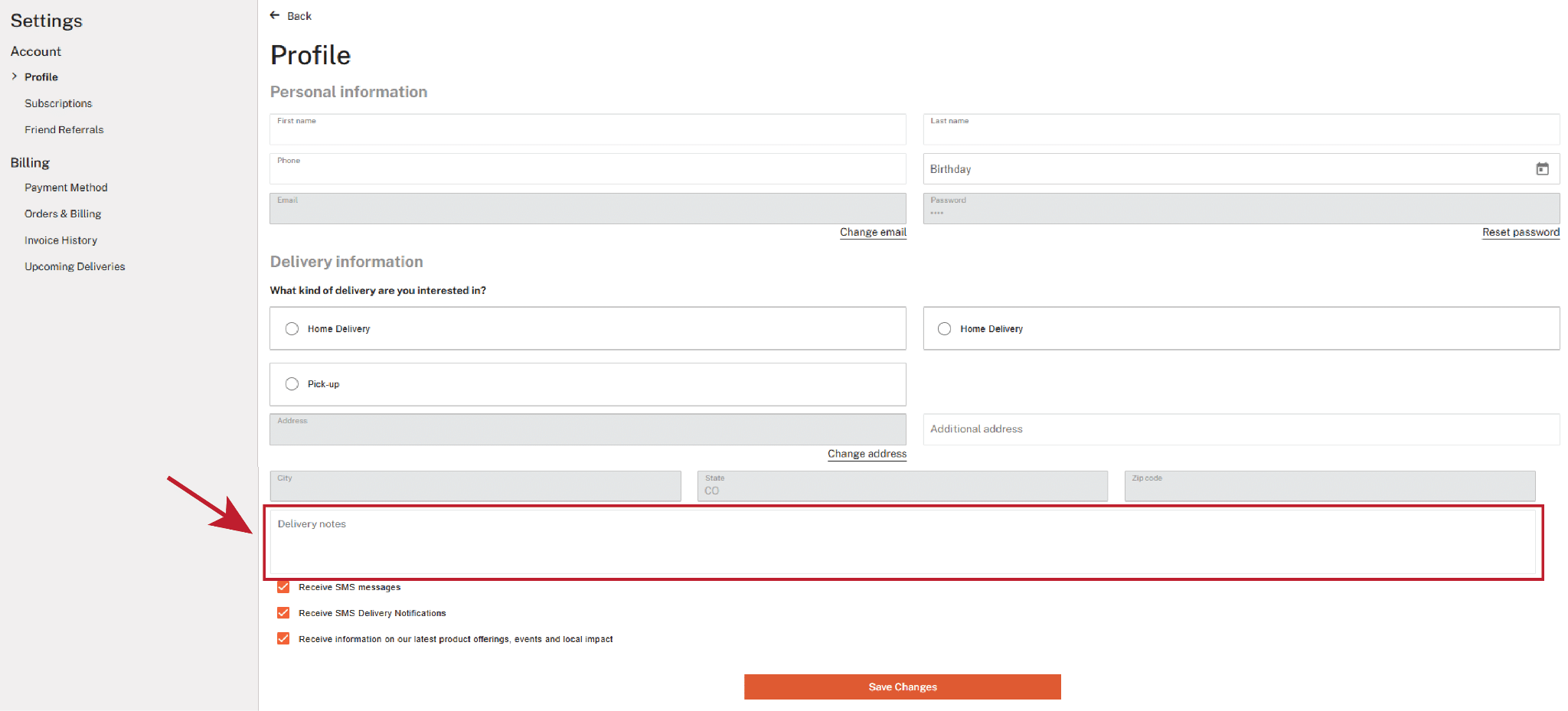
If you forget to put your cooler out, your driver checks the Driver Notes on your order first. Left a note saying it is okay to leave the order? We will leave it. Otherwise the driver checks whether someone is home to bring it inside, then tries you by call or text. Still no luck? The order is marked skipped and returned to our warehouse, and our customer service team will contact you the next day to talk next steps, including rescheduling. We cannot leave an order without a cooler unless you have told us to, in a note or in person. Everything has to stay cold until it reaches your freezer, and that matters most in the warmer months. And if you know you will not be home at all, email service@locavoredelivery.com as soon as you can and we will sort out a reschedule or a pickup.
What if something is missing, wrong, or not up to standard?
Tell us immediately. We’ll make it right, with a replacement or an account credit at our discretion.
Where do you deliver?
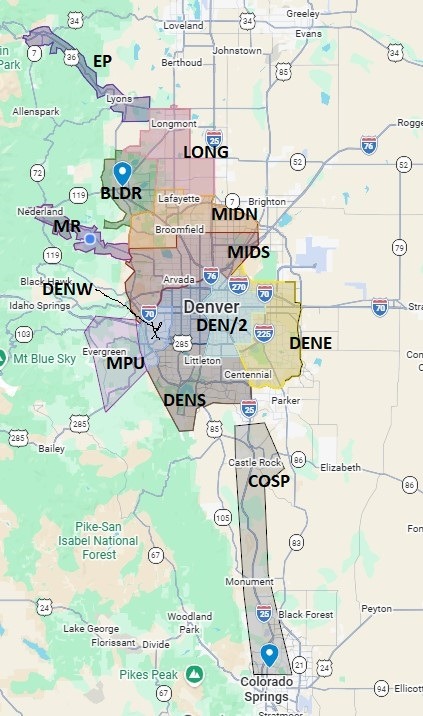
We deliver inside the shaded areas here on this map. We also have a few pickup locations if you live outside of the delivery area.
Is home delivery free?
Yes, on qualifying orders over $75
Do you provide a cooler, or do I need to have my own?
You will need to provide your own cooler, or give us instructions to leave your order without a cooler present.
I live in an apartment or condo that is hard to access. What are my options?
We offer flexible delivery options. We have partnered with local businesses to offer convenient pickup locations in Boulder and Colorado Springs. We can also deliver to your place of work. Or leave special instructions in your delivery notes so our drivers can make your home delivery possible. Customers in condos and apartments do this all the time: a garage door code and a note to put it in the freezer, a building entry code and a floor, or leave it with the concierge at the front desk.
Why can’t I pick an earlier delivery date?
Our delivery routes are organized by zone, so delivery availability varies depending on your location. Some zones have deliveries once per month, while others have multiple delivery options. If you do not see a delivery date that works for your timing, email service@locavoredelivery.com and we will do our best to accommodate you. We also have pickup locations that may be a convenient alternative, just ask.
What type of packaging do you use?
All of our meat is vacuum sealed in plastic packages to preserve freshness. That is as far as the plastic goes. We pack orders in simple brown paper bags or recyclable corrugated cardboard boxes, with no styrofoam or other packing materials. Since we only deliver locally, straight from our warehouse to your house, and our meat is delivered frozen, we are able to keep our packaging to a minimum.
Do you have a holiday delivery schedule?
Yes. We offer additional delivery weeks around the holidays, with extra delivery dates the week before Thanksgiving, Easter, and Christmas. If you have a meat emergency and Uncle Pete invites his whole book club to holiday dinner, reach out. We will do our best to accommodate holiday and special occasion orders, and Uncle Pete can sit at the kids table this year while you stay stress free.
We are 100% closed the week of Thanksgiving, and between Christmas and the first week of the New Year, so plan accordingly.
Billing & Payment
Will I be charged when I put a card on file?
No. Saving a card does not create a charge, and you will not be charged until your first order is being prepared for delivery. Billing is processed on Monday prior to your scheduled delivery date. You have until Sunday at midnight before your delivery week to make any changes to your order.
What happens if my card is declined?
You will receive an email right away prompting you to update your payment information. We also make courtesy calls and send text notifications on Monday, in addition to the automated payment alerts. If we do not receive an update and the payment remains declined, your order for that week will be canceled. For recurring orders, only the affected order will be skipped if a payment issue occurs. Future scheduled orders will continue to be processed and billed as usual.
Where can I see an account credit?
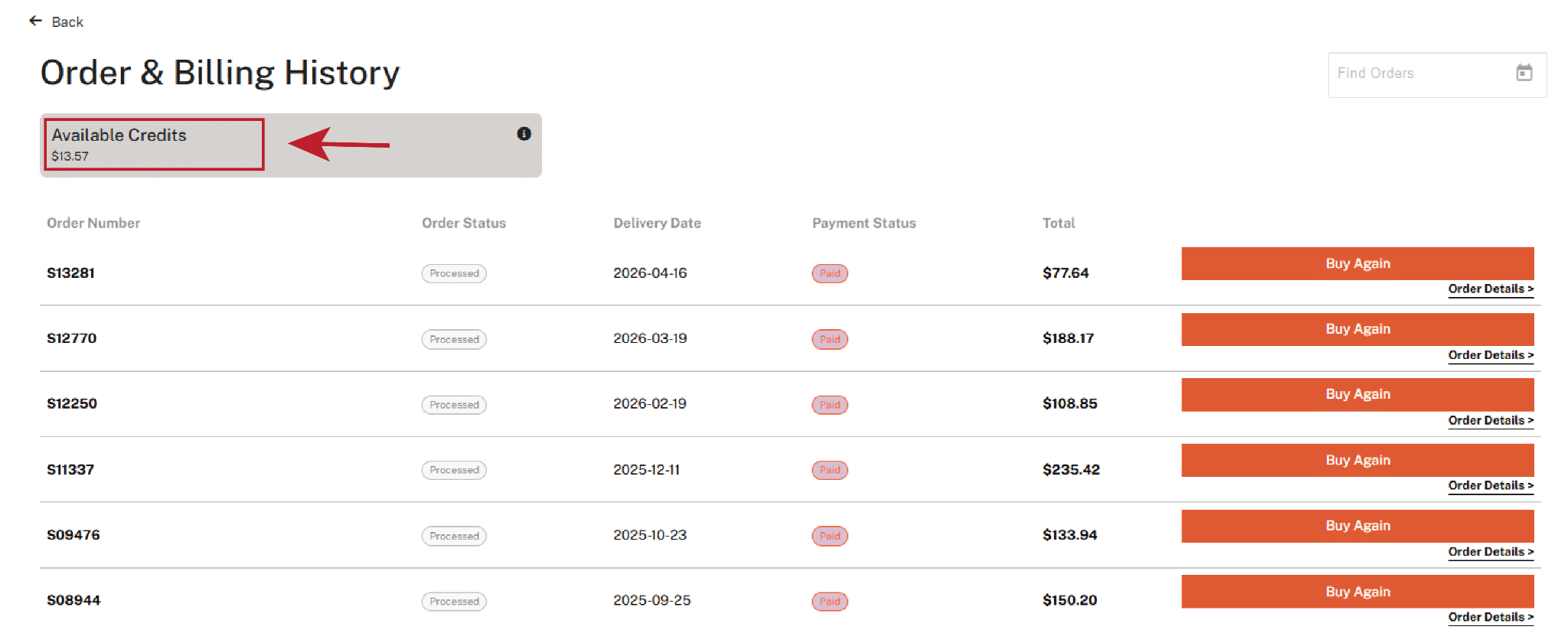
Log in to your account and open the Order & Billing tab. At the top of the page is a box marked Available Credits. That is what credits are currently on your account, and all credits will be automatically applied to your next order. Questions about a credit? Contact us at service@locavoredelivery.com.
I thought I had an order this week, but now I don’t see it.
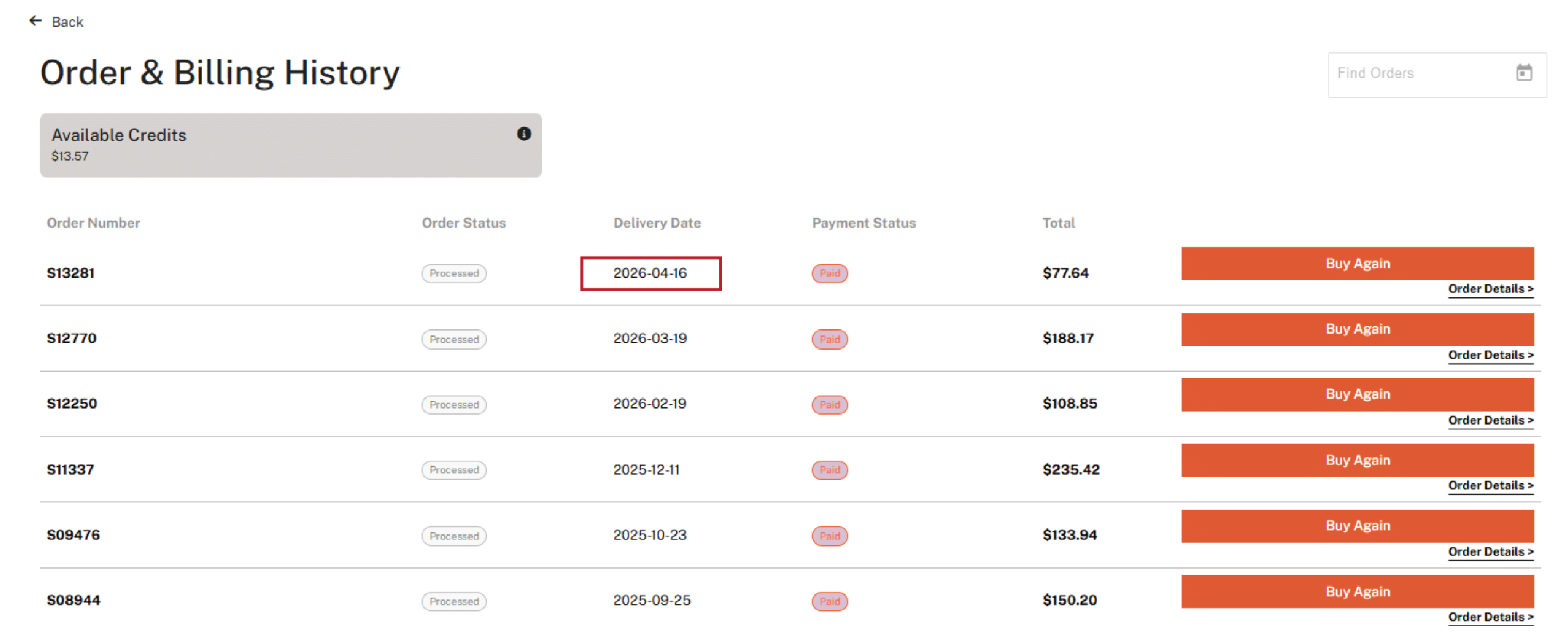
After your order has been billed, it moves from the Upcoming Deliveries tab to the Orders & Billing tab. There you can view the current week’s order as well as your full order history. If you ever have questions about an order or delivery timing, reach out to us at service@locavoredelivery.com. We are always happy to help.
Subscriptions: Pause, Skip & Cancel
Can I pause, skip, or cancel?
Yes. Anytime, with no hidden fees or penalties. Just log in to your account to place a hold, skip a delivery, or edit or cancel your subscription. Here is how each one works.
How do I skip one delivery?
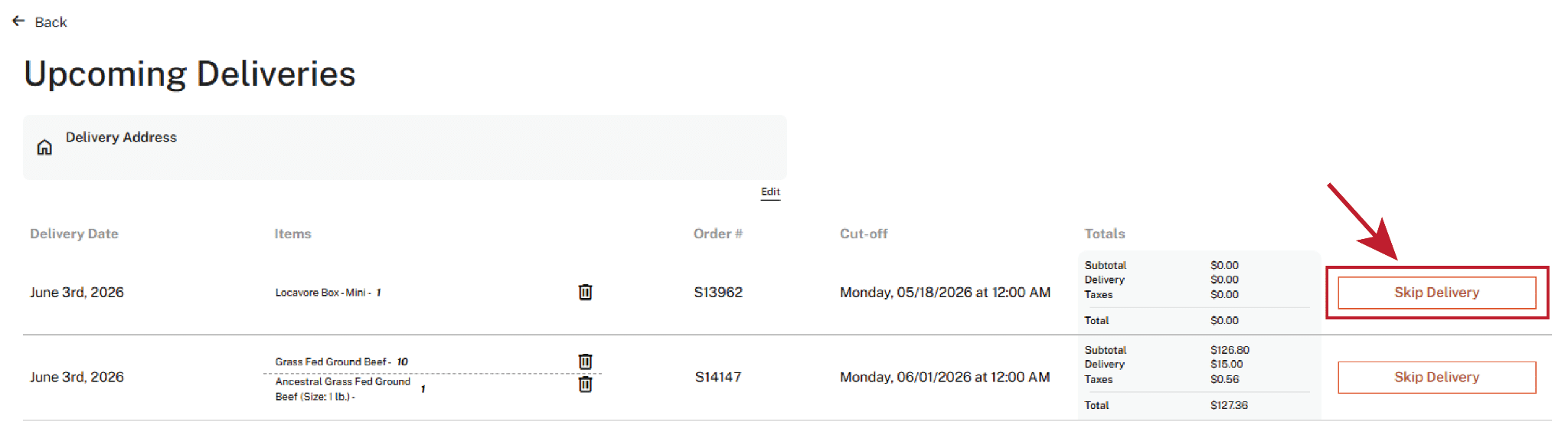
Go to the Upcoming Deliveries tab and click Skip Delivery next to the order you’d like to skip.
How do I put deliveries on hold for longer?
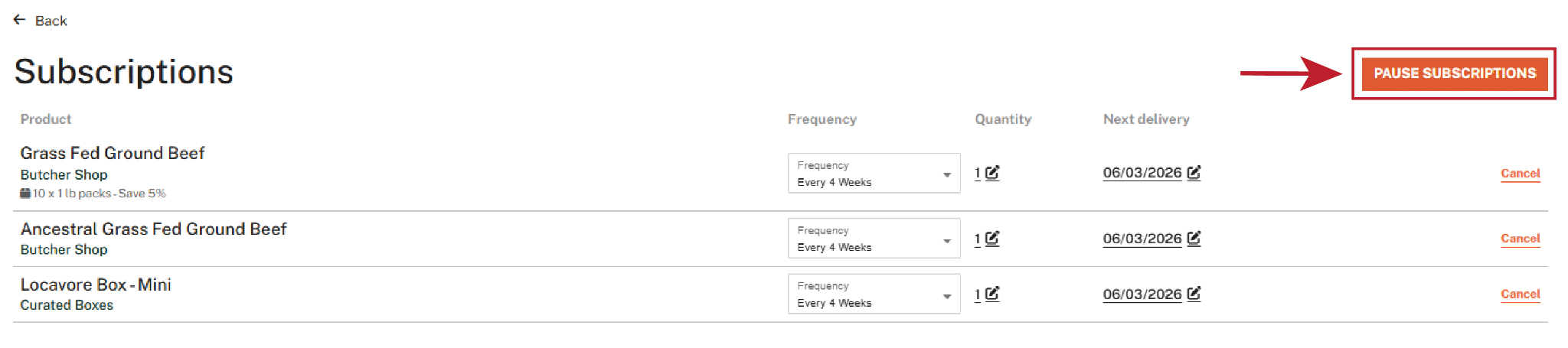
Head to the Subscriptions tab and click the orange Pause Subscriptions button in the top right. A pop up will appear where you can choose the date range that works for you.
How do I change how often a recurring item comes?
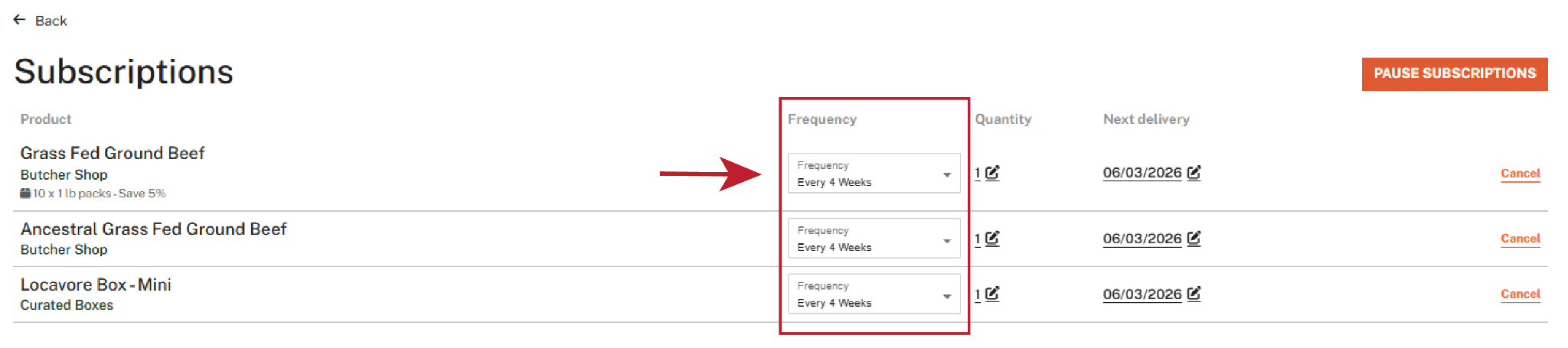
Under the Subscriptions tab, you can edit the frequency of your recurring items using the dropdown menu. Choose every 4 or 8 weeks.
How do I cancel recurring items?
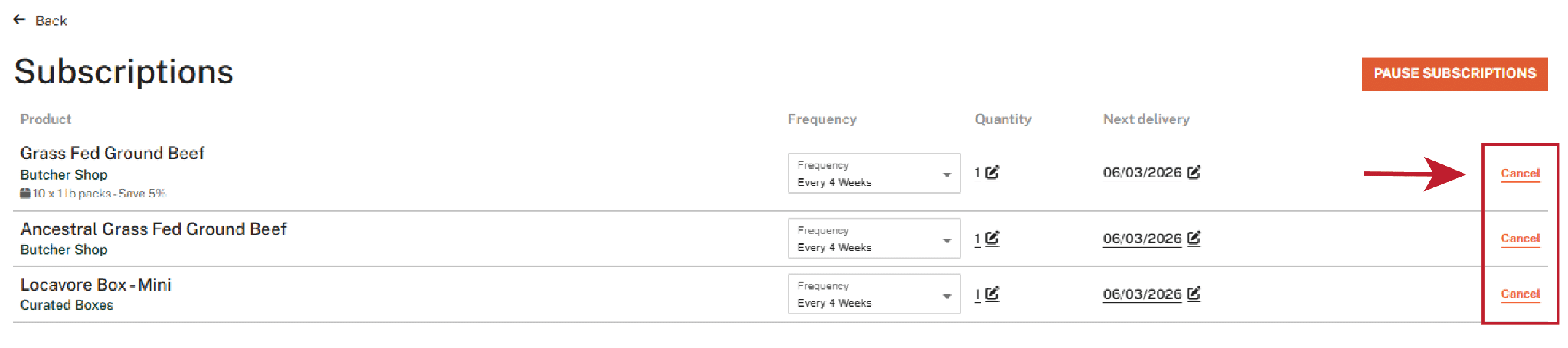
Under the Subscriptions tab, click the orange Cancel on the left next to the item to remove it from your subscriptions.
What if the Sunday midnight cutoff has already passed?
Email service@locavoredelivery.com. If your order is already past the weekly cutoff, our team will be happy to help.
Gifts & Promotions
Do you offer gift certificates?
Yes. Gift certificates are available, and we can include a gift note or card with a delivery. You can find them here: https://market.locavoredelivery.com/pages/gift-cards
How do I add a gift card or coupon?
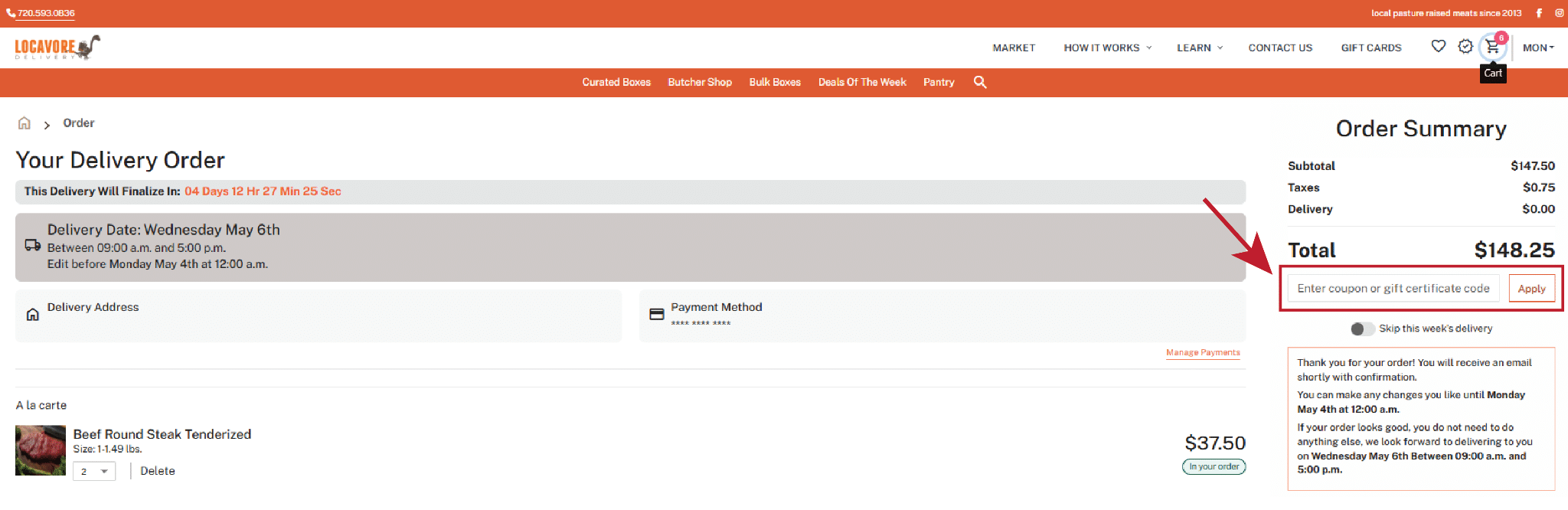
After you’ve created an account, click the cart icon in the top right corner. On the right side of the page, just below your cart total, you’ll see a box. Enter your coupon code or gift card number there and click Apply. If you run into any issues or have questions about gift certificates or coupons, reach out to us at service@locavoredelivery.com. We’re happy to help.
Still Have Questions?
How can I reach Locavore Delivery?
Email service@locavoredelivery.com or call (720) 593-0836. Our address is 11122 Circle Drive, Golden, CO 80403.
Can I visit your store or farm?
We don’t have a walk-in storefront, but farm visits can be arranged. Come see how we do things.